Accessibility
- Gaston Wong

- Aug 2, 2020
- 2 min read
Updated: Aug 6, 2020
I'm no expert on this topic, but I'm going to try and summarize my learnings on this blog post.
So what is accessibility?
According to Wikipedia, accessibility refers to the design of products, devices, services, or environments so as to be usable by people with disabilities. In other words, accessibility is equal access for people with disabilities to any environment, movement, information or communication. It means that a person with a disability should be able to use a product or service to access society at the same level as a person without a disability.
According to Web Content Accessibility Guidelines (WCAG) there are four principles.
Perceivable
Operable
Understandable
Robust
Perceivable
Information and user interface components must be presentable to users in ways they can perceive. This means that users must be able to perceive the information being presented (it can't be invisible to all of their senses)
Operable
User interface components and navigation must be operable. This means that users must be able to operate the interface (the interface cannot require interaction that a user cannot perform)
Understandable
Information and the operation of user interface must be understandable. This means that users must be able to understand the information as well as the operation of the user interface (the content or operation cannot be beyond their understanding)
Robust
Content must be robust enough that it can be interpreted reliably by a wide variety of user agents, including assistive technologies. This means that users must be able to access the content as technologies advance (as technologies and user agents evolve, the content should remain accessible)

When you consider web accessibility, there're many key components that must be considered. Sometimes a fancy, flashy, interactive webpage is not the best design for an individual that may require assistive technology. For example, computer screen readers may be used to directly assist someone with a visual or hearing disability. If you're a front-end web developer or a copywriter, you must ensure all content has been optimized for screen-reading technology. These include but are not limited to, links, headings, tables, images, font, alt text and file formats. If you're a UI/UX web designer, you're responsible for taking into consideration the theme, styles, colour contrast, margins between content, navigation and site structure.
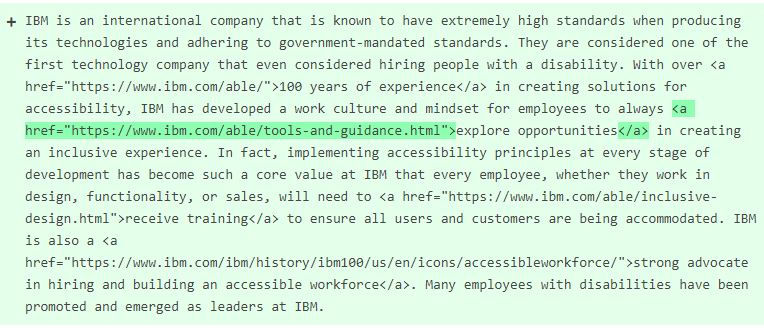
Although it can be difficult to address everything on the WCAG, I believe anyone who has a role in web development or content management should take the time to reach and learn more about accessibility. I recommend checking out IBM's accessibility standards and checklist as they're considered to be one of the pioneers for introducing inclusive experiences across all stages of development.
If you like to follow my journey with the IMC Open Source capstone project, click on the links below.
Except where otherwise noted, content on this webpage is licensed under a Creative Commons Attribution 4.0 International license. Questions about the copyright in a license should be directed to the license steward
Attribution
W3C. (n.d.). Web Content Accessibility Guidelines (WCAG) Overview. Retrieved July 31, 2020, from https://www.w3.org/WAI/standards-guidelines/wcag/
Wikipedia. (n.d.). Accessibility. Retrieved July 31, 2020, from Wikipedia: https://en.wikipedia.org/wiki/Accessibility
Wikipedia. (n.d.). Accessibility. Retrieved July 31, 2020, from Simple English Wikipedia: https://simple.wikipedia.org/wiki/Accessibility#:~:text=Accessibility%20is%20equal%20access%20for,a%20person%20without%20a%20disability.


Comments